
Built for Agencies and studios

Explore with 100+ models, lay out the deliverables, cut the film and know what the job cost before you send the invoice.

A woman in a saffron dress at the bow of a small boat, the dress in the wind
  • 01

    Build once, run for every client

    Turn the process that worked into a workflow, then run it with the next brief instead of starting again.

  • 02

    Know what each job costs

    Every run shows its price first, and every client project has its own budget with alerts and a hard stop.

  • 03

    Hand the client a tool

    Publish a workflow as an Interface: a simple form with a Run button and its price, for your team or your client.

Pitches and key visuals

Walk into the pitch with three routes, not one.

Explore directions across image and video models side by side, keep the references attached, and take the strongest route into the deck.

  • Compare models on the same brief
  • Keep brand references on every run
  • Move the chosen route into the deck

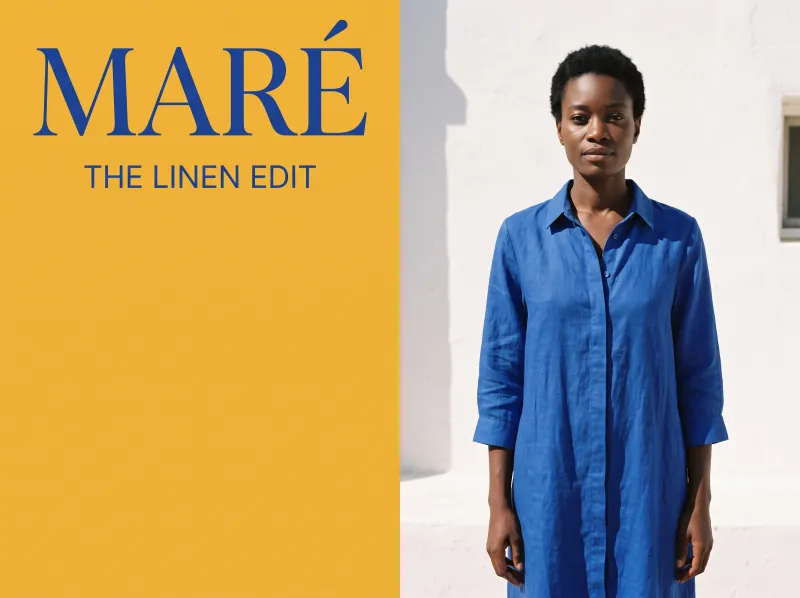
Route A: a saffron colour-block key visual for Maré
Route B: a quiet editorial key visual on harbour steps
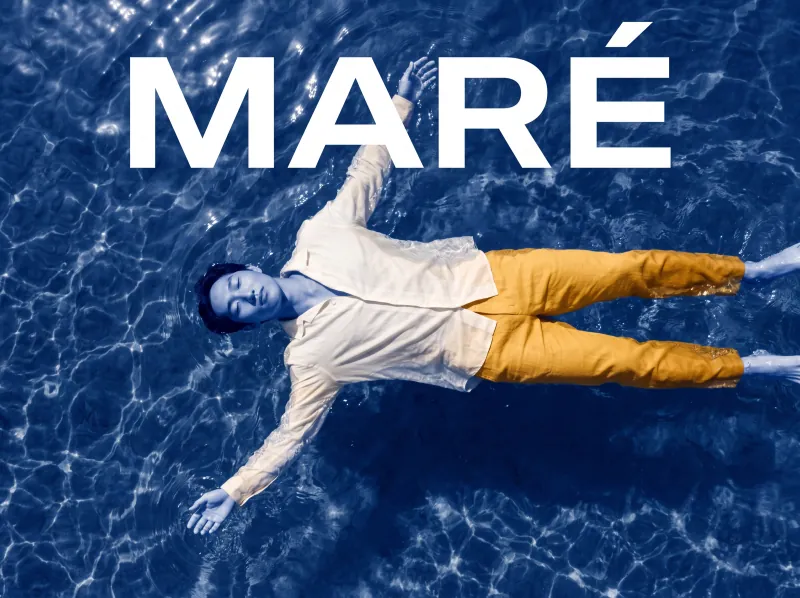
Route C: a cobalt duotone key visual of a man floating
Social and display sets

One master. Every format the plan needs.

Place the approved visual into every size in Design, and regenerate a crop in place when a format needs more room.

  • Frames for posts, stories, banners and posters
  • Generate or edit a selection in place
  • Export the whole set at once
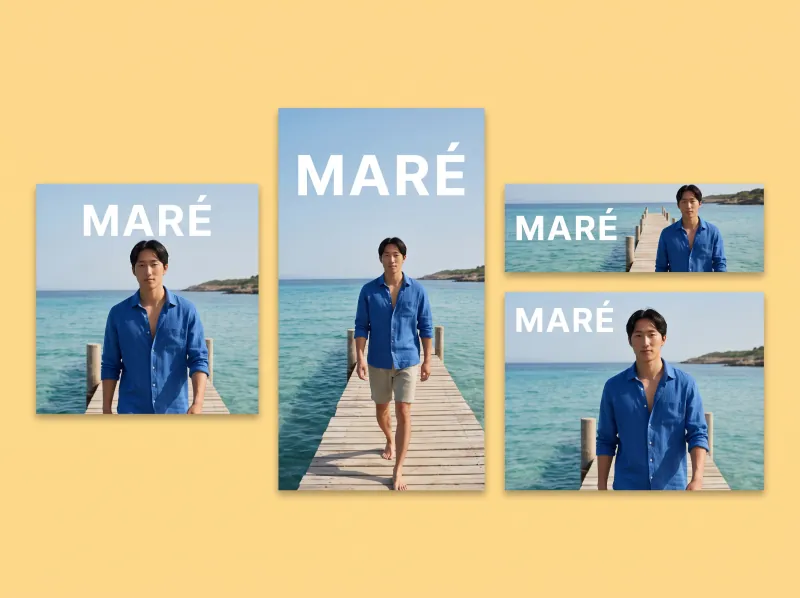
One master as a story, a post and a banner
One master in four sizes
One master as a post, a story and a half-page
Launch films

Cut the spot where the shots were made.

Pull the approved shots into Cinema Studio, fill missing clips by prompt, and render the film for the client to review.

  • Start and end frames from your explorations
  • Empty clips you fill by prompt
  • Render while you keep working
Linen drying on a line above the sea
A man splashing his feet from a jetty
The workflow

The loop your studio repeats.

Brief in, deliverables out, and the workflow stays for the next client.

Questions

Common questions.Straight answers.

  • You do. Under our terms you keep ownership of everything you create, upload or generate, subject to each AI model provider's terms, and we do not train models on your work.

  • Every run shows its price in dollars before it runs, so you know the cost per client job up front. Each project can have its own budget with alerts and a hard stop. Paid plans start at $29 a month, and the plan price becomes your balance for runs.

  • Images take seconds and most video takes a few minutes; every model shows its typical time before you run it. Because the workflow stays in the project, the next round of campaigns starts from it instead of from zero.

  • Yes. Turn any workflow into an Interface: a simple form with a Run button that shows its price. Share it with the client and every run lands in that client's project and budget.

  • Every seat is included on Agency, from $119 a month. Send each person a balance and work in the same project live.

Every brief starts from your best work.

Build the workflow once, run it for every client, and keep each job on its budget.

  • ByteDance
  • Google
  • Black Forest Labs
  • Kling
  • OpenAI
  • MiniMax
  • World Labs
  • Alibaba
  • ElevenLabs
  • Lightricks
  • Meshy
  • Microsoft
  • Stability AI
  • Character.AI
  • Deemos
  • Sonilo
  • Tencent
  • Tripo

Cookie preferences

We use cookies to enhance your experience. By continuing, you accept our Privacy Policy.